User Testing
Comparing AI Features of the Best User Testing Tools: The Complete 2026 Guide
by
Chris
|
Aug 28, 2026

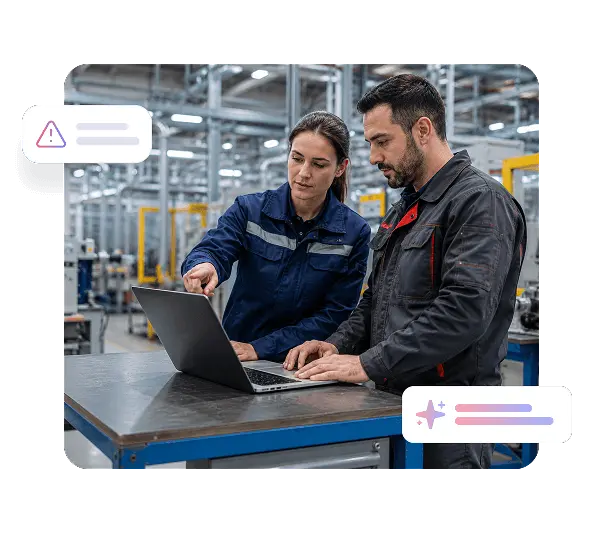

Manufacturing software that confuses operators on day one gets abandoned in favor of paper logs and manual workarounds. TheySaid captures where onboarding fails to build confidence, which workflows require too many steps, and what training gaps are driving avoidance, so you can fix adoption barriers before they become production inefficiencies.

In manufacturing environments, a confusing interface does not just create frustration. It creates mistakes. Usability testing for manufacturing software surfaces the screens, inputs, and confirmation flows that increase error risk so you can simplify critical workflows before a usability problem becomes a quality or compliance issue.

Software decisions made in conference rooms rarely account for what a plant manager needs at shift change or what an operator can realistically read on a shop floor terminal. TheySaid puts real end users in sessions that surface what the team building the software rarely sees firsthand.


A confusing interface change pushed to operators mid-shift stops production, floods your support desk, and erodes trust in the platform. Product validation manufacturing software testing with TheySaid catches usability problems before rollout so updates improve workflows rather than interrupting them.

ERP systems, MES platforms, and quality management tools serve operators, supervisors, quality engineers, and plant managers differently. Manufacturing UX research across each role reveals where the same interface creates very different experiences depending on who is using it and under what conditions.

Watch new operators complete setup tasks, navigate core workflows, and use your system for the first time without assistance. AI captures where instructions are unclear, which terminology creates confusion for non-technical users, and where operators abandon the system and revert to manual processes.

Understand whether plant managers and supervisors can complete critical tasks in your ERP or MES platform without excessive clicks, unclear menus, or dead ends. Workflow testing manufacturing systems reveals where complex functionality creates unnecessary friction for the people who need it most.

See how quality engineers navigate inspection checklists, non-conformance reporting, and audit workflows. AI captures where documentation steps are ambiguous, which required fields slow the process, and where the system fails to match how quality processes actually work on the floor.

Test how operators interact with your software on handheld devices and floor terminals under real production conditions. AI captures where tap targets are too small, where screen layouts do not account for gloved hands or low-light environments, and where mobile workflows diverge from what operators actually need.

Test interface changes, new module releases, and workflow updates with a representative group of real users before deploying across your facility. Onboarding testing manufacturing software at this stage catches adoption blockers while changes are still inexpensive to fix.





Both. Share test links directly with your workforce through email, internal communications, or direct links on floor terminals. Or recruit from TheySaid's panel with targeting by job role, industry, and software experience if you need specific profiles like ERP administrators, quality engineers, or production supervisors.
TheySaid sessions run entirely in a browser with no downloads or account creation required. Participants click a link, grant screen and voice permission, and complete tasks naturally. AI moderates the session conversationally, which most users find straightforward regardless of their technical background.
Yes for browser-accessible systems. Share test links with participants who already have credentials to your platform, or provide login details as part of the session setup for recruited participants. Systems that require VPN access or run on closed networks would need to be accessed from a participant's authorized device.
AI analyzes every session and groups findings into themes ranked by frequency. You see which usability issues appeared most often across participants, the specific screens and workflows where they occurred, and AI-generated recommendations for each issue, without watching a single full recording yourself.
Most manufacturing teams see meaningful patterns within 24 to 48 hours of launching a test. Continuous user feedback manufacturing programs can be set up as standing projects that collect ongoing input from operators and engineers between major releases, not just before them.
Yes. Run separate test plans for operators, supervisors, and quality engineers completing the same workflow and compare how the experience differs across roles. Manufacturing UX research across user types often reveals that interfaces optimized for one role create significant friction for another.
Discover expert insights, company news, and practical tips to help you turn feedback into action.

TheySaid User testing recommends questions, delivers via your existing channels, engages your audience,and summarizes results through AI user testing, surveys, and interviews.
.svg)