



We've done a deep, side-by-side comparison of three of the most commonly evaluated user testing platforms: UserTesting, Maze, and TheySaid, covering their real AI capabilities, real limitations, and pricing.
We've structured this as a decision guide, not a feature dump. By the end, you'll know exactly which tool fits your workflow, your budget, and how you research.
TL;DR — Quick Answer
UserTesting: Best for large enterprises with six-figure research budgets who need moderated video research and a deeply vetted participant network.
Maze: Best for design teams that live in Figma and need fast, affordable prototype validation with quantitative metrics.
TheySaid: The most modern AI user testing platform: native AI moderation across every research type, at a fraction of the cost of legacy tools.
Why Modern Teams are Choosing AI User Testing Tools in 2026
The user testing landscape has changed dramatically. A few years ago, "user testing" meant scheduling Zoom calls, manually reviewing recordings, and spending days synthesizing notes into a slide deck. That approach is now too slow, too expensive, and impossible to scale, especially as product teams shift toward continuous discovery and always-on research.
In 2026, the conversation is about AI user testing remote user testing platforms that use artificial intelligence to moderate sessions, ask follow-up questions, synthesize findings, and surface behavioral patterns across hundreds of participants without a human researcher in the loop. According to a 2026 UX research trends report, 88% of researchers identified AI-assisted analysis and synthesis as the top trend shaping the field, making platform choice more important than ever.
Three platforms dominate the conversation: UserTesting, Maze, and TheySaid. But they serve very different needs, and choosing the wrong one means paying for capabilities you don't use or missing the ones you do. Here's the key difference:
UserTesting is an enterprise-grade human insight platform. It's been the industry standard for video-based moderated and unmoderated research for over a decade. It's powerful, but expensive, and built primarily for dedicated research teams with large budgets.
Maze is a design-first, self-serve research platform built for continuous product discovery. It excels at rapid prototype validation, native Figma integration, and quantitative usability metrics like task completion rate, misclick rate, and time-on-task. It's fast and affordable but leans on qualitative depth and AI moderation.
TheySaid is an AI-first unified feedback platform. It combines user testing, AI interviews, surveys, polls, and forms in a single workspace. Its AI moderator uses natural language processing (NLP) to probe participants in real time, and insight synthesis is generated automatically across all research types, from the free plan up. It's the strongest UserTesting alternative and Maze alternative for teams that want modern AI at the core, not bolted on.
UserTesting: Powerful Enterprise Research Platform
UserTesting has been the go-to platform for enterprise UX research teams for over a decade. Its core strength is video-based human insight: watch real people interact with your product, hear what they say during think-aloud testing, and understand the behavioral data behind every session.
In 2026, UserTesting is investing heavily in AI and has acquired User Interviews (the leading participant recruitment platform), adding a native Figma plugin for instant test plan generation. But its core architecture, video-first, enterprise-grade, post-session analysis, remains intact. And the price reflects that.
Important
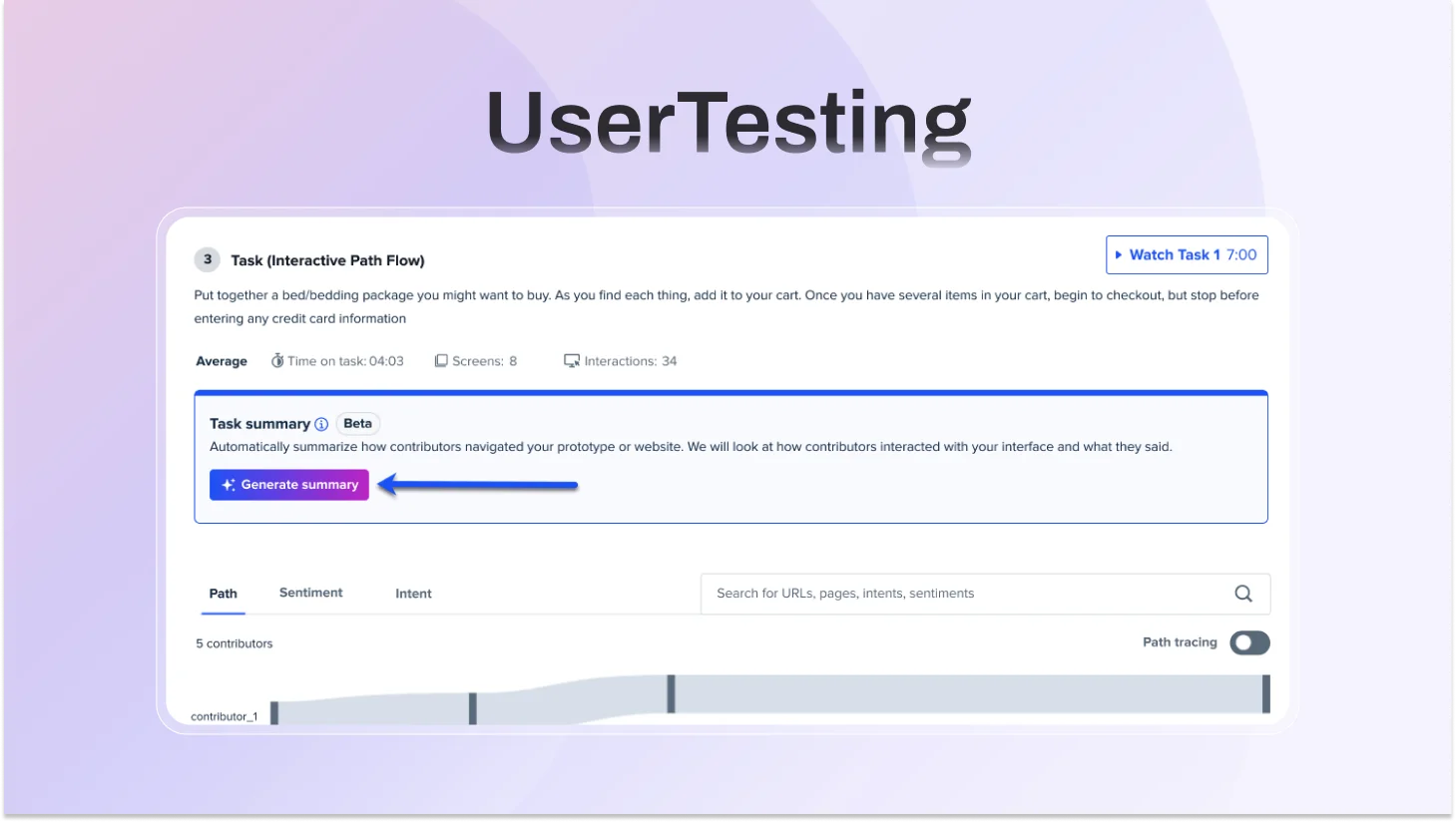
UserTesting's AI is entirely post-session; it analyzes recordings and transcripts after sessions end. There is no live AI moderation during sessions. This is a fundamental architectural difference from TheySaid, which is the only platform offering a user testing platform with AI moderation active during every session across all study types.
UserTesting’s AI Features
AI Insight Summary: Automatically synthesizes key themes and patterns from video, text, and behavioral data across sessions. Each insight links back to the source video timestamp. Supports unmoderated studies up to 25 contributors. Available on paid plans.
Insights Discovery: AI-powered search across your research library. Analyzes think-aloud studies and surveys, accepts natural language questions, and returns cited answers with video timestamp links.
Sentiment Analysis & Smart Tags: Always-on ML models that automatically tag positive and negative feedback, moments of confusion or frustration, key behaviors, and notable quotes across every session.
Friction Detection: Detects rage-clicking, repetitive scrolling, and other struggle signals, then cross-references with verbally expressed frustrations to automatically flag user pain points.
Interactive Path Flows: Auto-generated behavioral maps showing exactly how participants navigate a website or prototype during tasks, capturing clicks and scrolls as behavioral transcripts.
AI Themes for Surveys: Automatically groups open-ended survey responses into common themes with sentiment breakdown.
Video Transcription plus Highlight Reels: Auto-generates transcriptions from every session. Clips can be stitched into shareable highlight reels for stakeholders.
AI-Enriched Video Upload: Upload research videos recorded outside UserTesting for AI transcription and summarization.
AI-Driven Fraud Prevention: ML validates participant identity upfront to maintain panel quality and reduce low-effort responses.
UserTesting for Figma Native Figma plugin that generates complete test plans directly from prototypes. Launched January 27, 2026.
Where UserTesting falls short
- UserTesting’s AI is strongest in post-session analysis, with limited real-time AI moderation compared to newer AI-driven testing approaches.
- Some testing setups can still introduce participant friction, which may impact completion rates.
- Pricing is enterprise-focused and not publicly transparent, making it less accessible for smaller teams.
- Per-seat pricing can increase costs as teams scale
- While the platform supports multiple research methods, access to advanced features may depend on higher-tier plans.
- Like many panel-based platforms, participant quality can vary, particularly at scale.
UserTesting Pricing
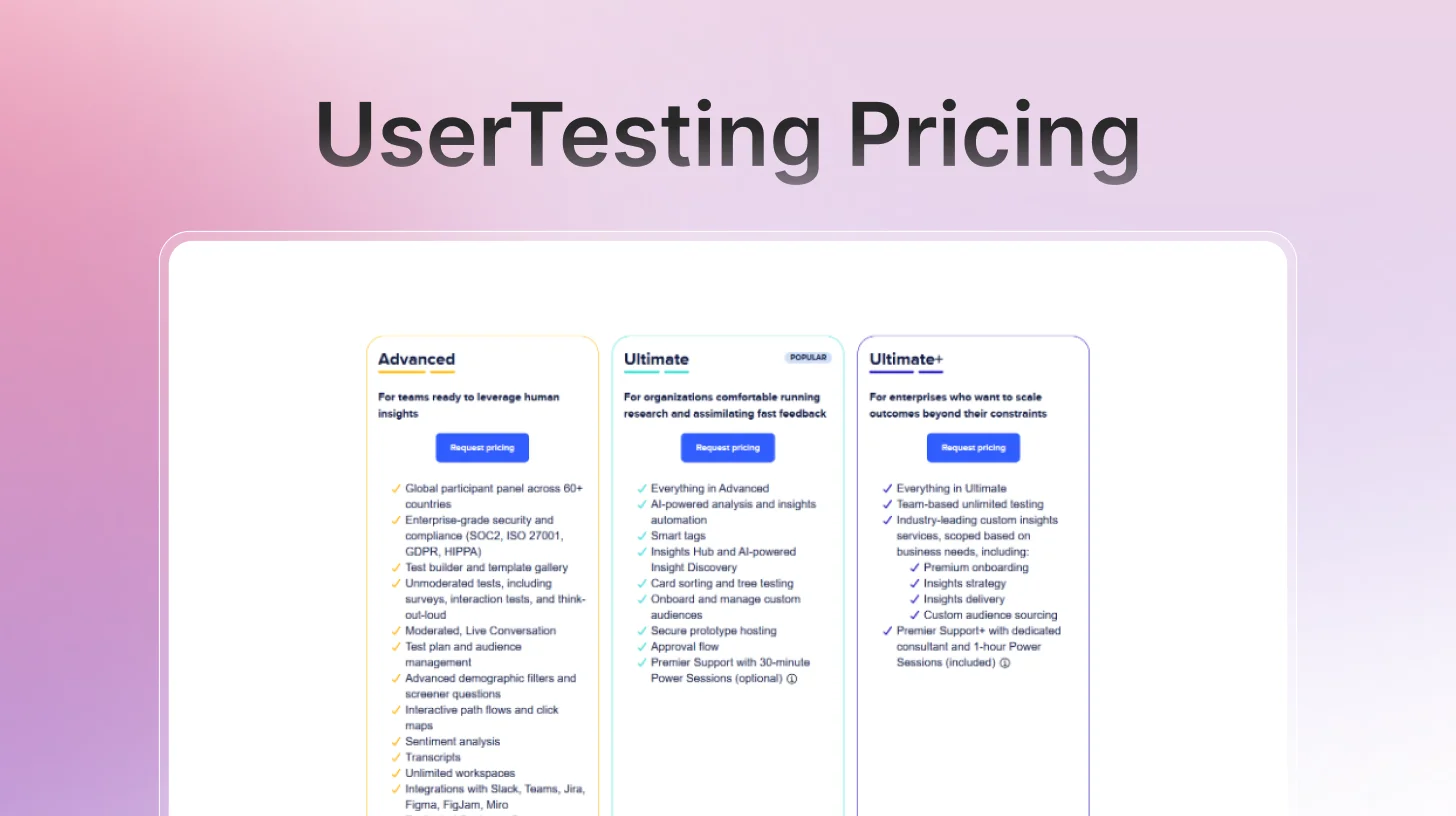
UserTesting uses a credit-based model tied to annual subscriptions. Three Flex plan tiers exist: Advanced, Ultimate, and Ultimate Unlimited. Seat-based plans include Startup and Enterprise tiers. No prices are published publicly.
Maze: Strong Prototype Testing, Growing AI Capabilities
Maze is built for product and design teams who need to move fast. Import a Figma prototype, set tasks, recruit participants, and have quantitative usability data, task completion rates, misclick analysis, and heatmaps back within hours. That speed is Maze's core value proposition for self-serve user research.
Maze leans quantitative. You get heatmaps, task success rates, misclick analysis, and navigation paths, but the contextual "why" behind user behavior is harder to extract without AI-assisted qualitative probing. Teams looking for deeper sentiment analysis or behavioral data beyond clicks often find themselves needing a second tool, making Maze less of a true all-in-one than it appears. Prototype crashes and participant quality issues are also frequently cited in user reviews as a key reason many teams look for a Maze alternative.
Maze's AI features
AI Moderator (Business/Enterprise plans only): Maze's most significant new capability. For interview studies, Maze's AI moderator builds a discussion guide from your research goals, conducts sessions autonomously across time zones and languages, asks dynamic follow-up questions, adapts to participant responses, and transcribes sessions automatically. Available for interviews, not for usability tests or prototype testing.
Dynamic Follow-ups (all plans): For unmoderated studies, AI probes deeper after open-ended questions, asking contextual follow-ups based on what participants say. Originally launched two years ago as 'Follow-up,' now more sophisticated.
AI Themes: Automatically identifies common themes across open-ended question responses after sessions are complete. Filter by theme and sentiment for pattern analysis.
AI Transcripts and Suggested Highlights: Automated transcription (powered by Rev AI) with AI-suggested highlight moments from sessions. Powered by OpenAI and Anthropic LLMs.
Perfect Question: AI identifies bias, illegibility, or grammatical errors in questions and suggests improved phrasing before you launch a study.
AI-Powered Thematic Analysis: Cross-session pattern detection that automatically groups findings by theme and maps them back to research objectives with sentiment analysis.
Automated Reports: Post-session reports generated automatically with quantitative metrics, qualitative summaries, and highlighted clips. Editable before sharing with stakeholders.
Where Maze falls short
- AI moderator is Enterprise-only; most teams on Starter ($99/month) don't get live AI moderation.
- AI moderation applies to interviews only, not to prototype tests, usability studies, or surveys.
- No, always-on in-app testing is still a project-based research model.
- Quantitative bias, you know what users do; AI moderation is only available in the one study type that explains why.
- The third-party participant panel has documented reliability issues dropout and quality inconsistencies.
- AI features removed from lower pricing tiers, frustrating existing Starter users.
- Scaling limitations: no change log, limited project organization, complex at larger research programs.
Maze Pricing
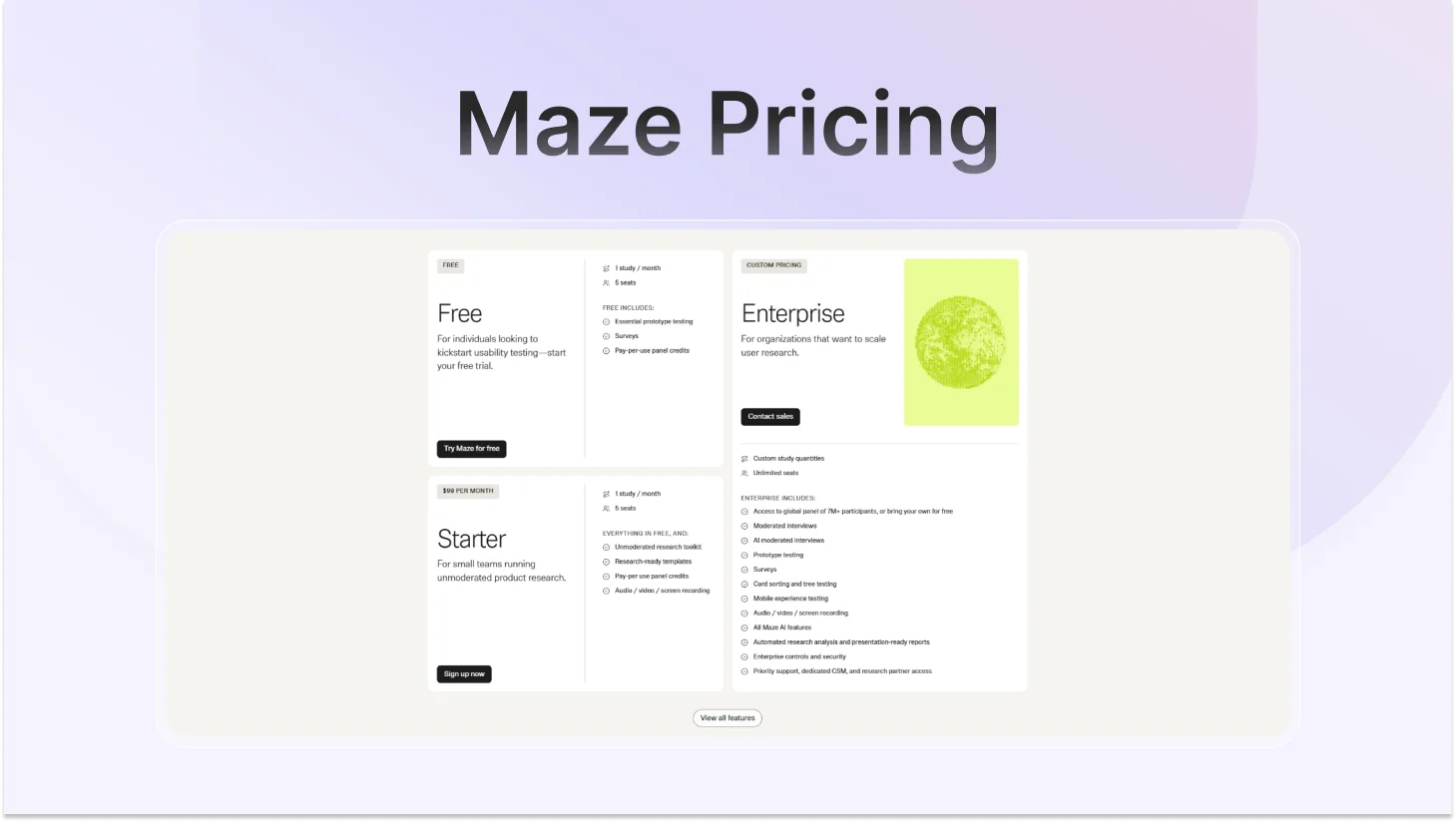
Maze offers three plans: Free, Starter, and Enterprise. The jump matters: AI-moderated interviews and access to the full 7M+ participant panel are exclusive to Enterprise. Most teams on Free or Starter ($99/month) won't have either.
TheySaid: The Best AI User Testing Platform in 2026
TheySaid is an AI-powered user testing and feedback platform that positions itself as an all-in-one research suite, covering user tests, interviews, surveys, polls, and forms in a single platform. It launched with a focus on AI-driven moderation and conversational feedback, and is aimed primarily at product teams, UX researchers, and marketers who want to run research without a dedicated research operations function.
The platform's clearest differentiator is that AI moderation is available across all study types, including usability tests, and is included on every plan, including the free tier. Most competitors restrict AI moderation to higher-tier plans or specific study types only. This makes TheySaid the only true free AI user testing tool with live AI moderation included.
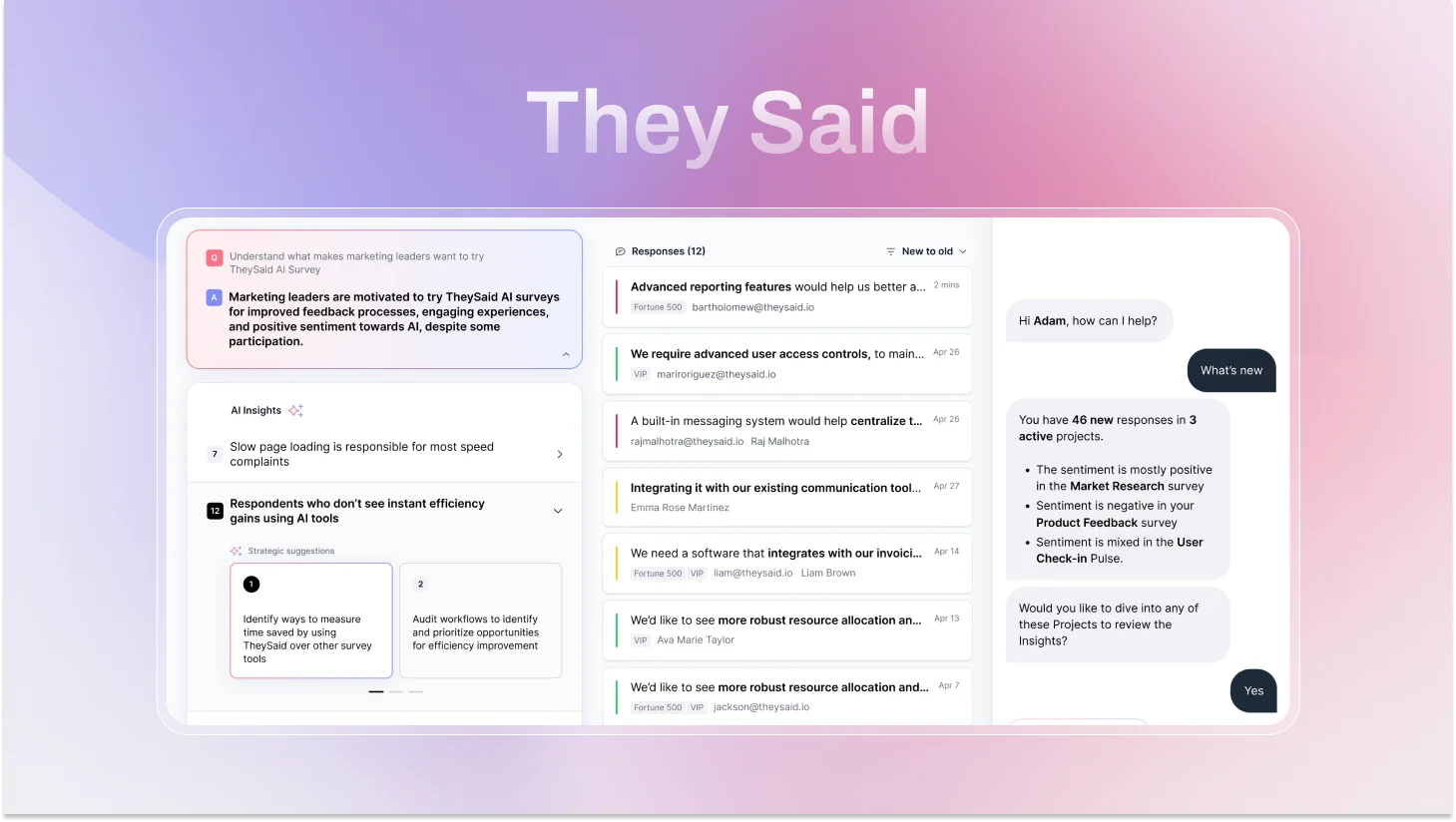
TheySaid's AI capabilities
AI Test Moderator (live, all study types): This is TheySaid's biggest differentiator. Unlike UserTesting and Maze, which apply AI after sessions end, TheySaid's AI moderates during every session, guiding participants through tasks, detecting confusion or frustration in real time, and asking probing follow-up questions that adapt to what each person says. It runs every session simultaneously at any scale. No human moderator needed.
Always-On In-App Testing: The feature that no other platform in this comparison offers. TheySaid can trigger testing sessions automatically based on real user behavior inside your live product when a user gets stuck, exits early, uses a feature for the first time, or shows churn-risk signals. Research runs continuously in the background, generating a permanent real-time feedback stream without any scheduling or coordination.
AI Project Creator: Describe what you want to learn in plain language. Five specialized AI agents build your entire test plan, tasks, questions, logic, and setup in minutes. No research experience required to run a well-structured study.
AI Analytics and Reporting: AI watches every session, identifies recurring usability problems, rates each issue by severity and frequency, and generates specific fix recommendations per finding. You get decision-ready output, not raw data to interpret yourself.
Voice-Enabled Testing: Participants speak naturally. The AI reads questions aloud, listens, transcribes in real time, detects sentiment, and responds conversationally. This applies across user tests, surveys, polls, and interviews, not just one study type. Users open up more in conversation than in forms, which consistently produces richer, more candid responses.
Teach AI: Upload your product documentation, paste URLs, or share context about your users and goals. The AI internalizes your context, making every follow-up question more relevant and every insight more actionable for your specific product.
Ask AI Assistant: Query your research data across one project or hundreds. Ask the AI to find patterns, compare user segments, surface themes from last month's tests, or connect findings across different study types. Answers in seconds instead of hours of manual synthesis.
AI Strategic Recommendations: For every usability problem the AI identifies, it generates specific, actionable fixes based on observed user behavior. You don't just learn what's broken, you get a prioritized list of exactly how to improve it.
Smart Question Branching with AI Follow-ups: Conditional logic adapts sessions based on participant responses, and AI follow-up questions are layered on top of every branch, so even participants who take unexpected paths still get probed for depth.
Session clips and highlight reels: Clip the moments that matter most from any session and stitch them into a highlight reel. Share it with your team or stakeholders in one click, no video editing skills needed.
Testing modes
AI Unmoderated Testing: Asynchronous sessions where participants share their screen and respond by voice or text. AI asks smart follow-ups automatically, detects patterns across sessions, and delivers directional insights in minutes. Best for: onboarding flows, feature validation, pricing pages, checkout, and sign-up optimization.
AI Moderated Testing: Conversational, voice-driven sessions where AI acts as a live moderator. It reads questions aloud, listens to spoken answers, transcribes in real time, probes when participants hesitate or struggle, and adapts dynamically. You get the depth of a moderated session without scheduling a single calendar invite. Best for: complex workflows, critical funnels, high-stakes UX decisions.
Always-On In-App Testing: Behavior-triggered testing inside your live product. Sessions fire automatically when real users hit defined triggers, no recruiting, no coordination. A continuous stream of real-user insights in context. Best for: post-launch monitoring, feature adoption tracking, churn-risk detection.
Participant options
Your own users: Via email, in-app popup, website embed, social media, QR code, or direct link. Test with actual customers in real moments.
TheySaid's 5M+ participant panel: Demographic filtering by age, job role, company size, and more. Recruitment and management are handled for you.
AI Testers: Synthetic users with customizable personality profiles that surface 60–70% of human-tester insights. Fast, zero-cost preliminary validation before spending on real participants.
Where TheySaid falls short
- AI Testers (synthetic participants) are a newer feature, still maturing, best used for preliminary validation rather than replacing real user research
- As a modern AI-first platform, some teams may face a short learning curve in adapting to AI-driven workflows
The Honest Decision Guide: UserTesting vs Maze vs TheySaid
Every tool in this comparison does something well. The question is never which platform has the longest feature list; it's which one removes the most friction between your team and a good product decision.
UserTesting is built for researchers. It assumes you have a team, a budget, and time. Maze is built for designers. It assumes you have a Figma prototype and need numbers fast. TheySaid is built for everyone else: the PM running research without a research team, the startup validating before they build, the enterprise team that's done paying for five tools that don't talk to each other.
That distinction explains every pricing gap, every AI capability difference, and every limitation in this comparison.
Choose UserTesting if...
- You are a large enterprise with a six-figure research budget and a dedicated UX team.
- Deep, video-based moderated research is your primary method, and human nuance matters most.
- You need access to the most rigorously vetted participant panel in the industry.
Choose Maze if…
- Native Figma prototype testing inside design sprints is your core need.
- You specifically need tree testing or card sorting; neither competitor offers this.
- You are on an Enterprise plan and need AI-moderated interviews specifically.
Choose TheySaid if…
- You want AI that moderates sessions live, not just summarizes them afterward.
- You need one platform for user tests, interviews, surveys, polls, forms, and in-app testing, no more juggling five tools that don't talk to each other.
- You're done paying enterprise prices for technology that was built a decade ago
- You want research that runs continuously, not in quarterly batches when someone remembers to schedule it.
- You want to test with your real customers, not professional panel testers who know how to game a usability study.
- You want insights that arrive before the sprint ends, not after the feature ships.
Which User Testing Tool Is Right for Your Situation? (Quick Reference Guide)
Use this table to quickly match your specific situation to the right platform.
FAQs
What is the best AI user testing tool in 2026?
For most teams, TheySaid is the strongest AI user testing tool in 2026. It is the only platform that offers live AI moderation across all study types, always-on in-app testing triggered by real user behavior, and a unified suite covering user tests, interviews, surveys, polls, and forms with a free plan that includes every AI feature. UserTesting leads for large enterprises needing deep video-based moderated research. Maze is the best choice for design teams focused on Figma prototype validation.
Is there a free alternative to UserTesting with AI features?
Yes. TheySaid offers a free plan with all AI features included: AI moderation, AI analytics, AI project creator, Teach AI, and the Ask AI Assistant. No credit card required. This makes it the strongest free alternative to UserTesting for teams who need real AI research capability without enterprise pricing. Maze also has a free plan, but AI moderation is not available on free or Starter tiers.
Is a participant panel better than testing with my own users?
It depends on your research goal. Panel participants are useful for generative research, competitive benchmarking, or when you need a specific demographic you don't have access to. Testing with your own users is better for evaluating your actual product experience, measuring adoption, or understanding why existing customers churn. Panels introduce a known risk: experienced testers who know how usability studies work can give less authentic responses than first-time users encountering your product naturally.





.svg)


